
WWFT compliance, right inside Exact Online
Cloudpliant connects to Exact Online and screens your relations automatically. Reports and review tasks appear directly in Exact, compliance without leaving your administration.
What the integration does
Automatic synchronisation
Through webhooks, Cloudpliant is notified the moment a relation or contact is created or changed in Exact Online. No manual entry, no exports.
Checks without lifting a finger
Every relation is screened automatically: sanctions and PEP status via OpenSanctions, company data via the Dutch business register (KvK) and insolvency via CIR.
The report lands back in Exact
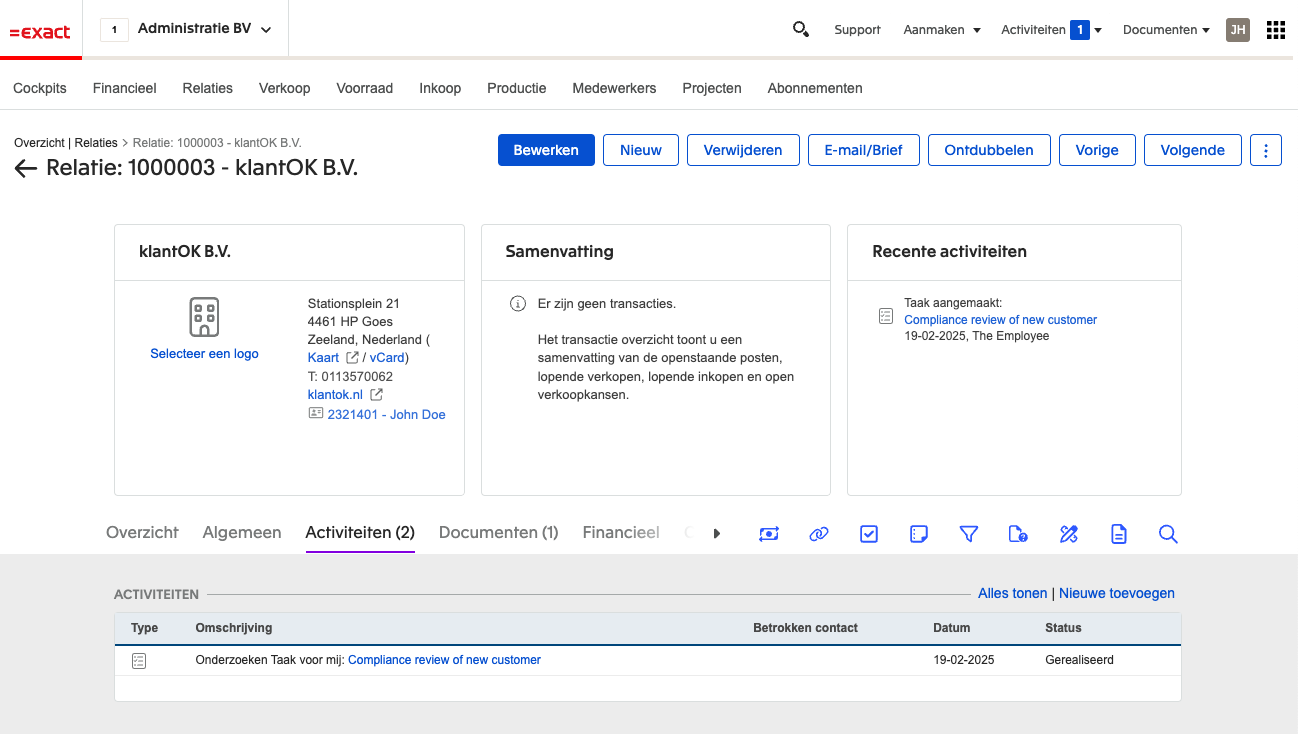
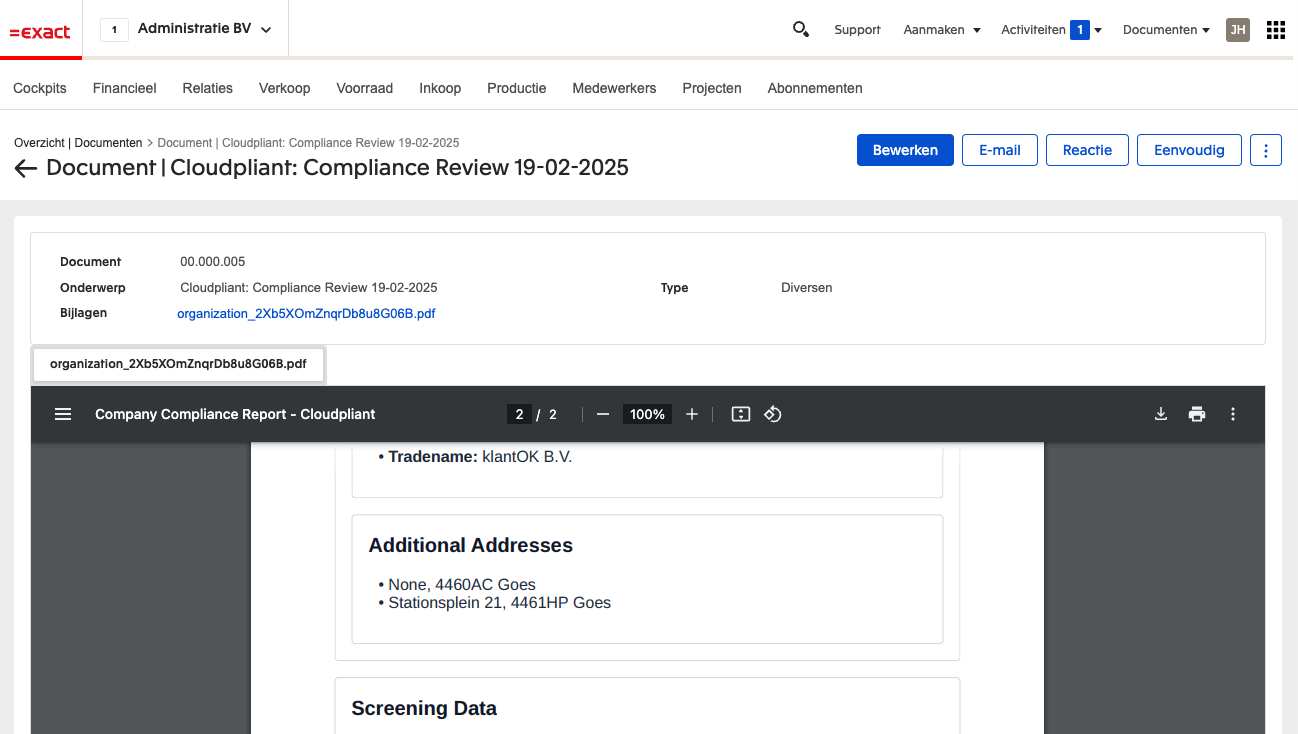
The compliance report is stored as a document on the relation in Exact Online, together with a review task. Your file is complete, exactly where you expect it.
How to connect Exact Online
- 1Create a Cloudpliant account or sign in.
- 2Go to Connections and choose Exact Online.
- 3Sign in to Exact and grant Cloudpliant access to your administration.
- 4Done. New and changed relations are checked automatically from now on.